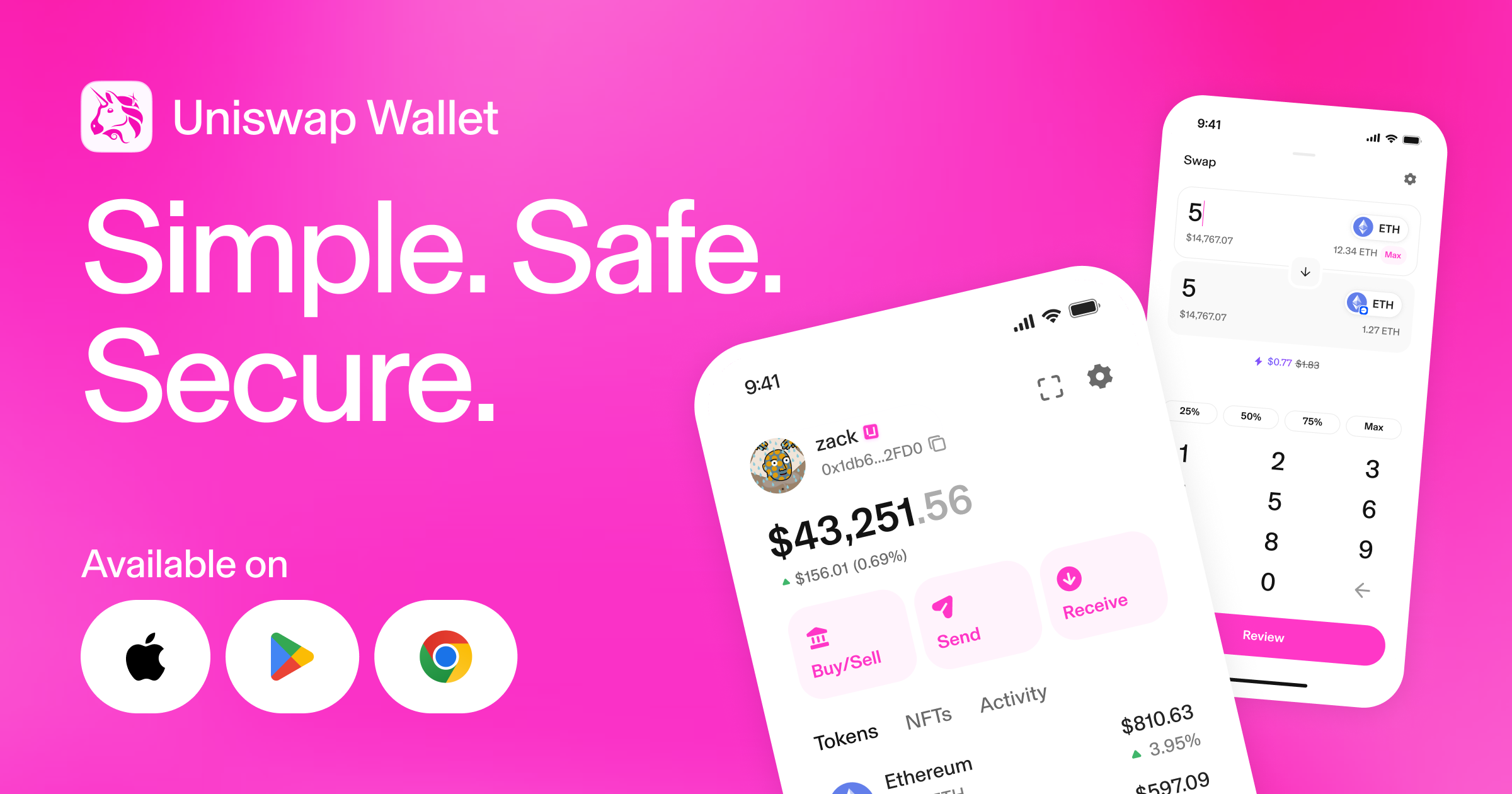
Uniswap wallet: store, send, receive, and swap UNI
Uniswap wallet Is a practical way to manage UNI and DeFi activity
Uniswap wallet Is a crypto wallet setup for storing, sending, receiving, and using UNI and other supported tokens with the Uniswap ecosystem. A Uniswap wallet can mean the official wallet app, a compatible self-custody wallet connected to the Uniswap interface, or a hardware-backed setup for added protection. The key idea is simple: the wallet controls the private keys, while Uniswap provides decentralized trading, token discovery, and liquidity access.
Uniswap wallet is often searched by people who want one clear answer before moving funds. It is not the same thing as a bank account, a brokerage account, or a centralized exchange balance. In practice, a Uniswap wallet is a self-custody tool that lets you hold blockchain assets, approve transactions, sign swaps, and interact with decentralized finance applications without handing account control to an exchange.
The protocol behind Uniswap is best known for automated market maker trading, where users can swap tokens through liquidity pools instead of placing orders in a traditional order book. A Uniswap wallet does not replace that protocol. It gives you the account layer needed to use it. Because crypto transactions can be irreversible and network fees can change quickly, users should verify current details through official sources before sending, swapping, bridging, or approving tokens.
What is Uniswap wallet?
Uniswap wallet is a self-custody wallet experience associated with Uniswap and the broader Ethereum-based DeFi market. It can be used to manage UNI, ETH, stablecoins, and many ERC-20 tokens across supported networks. The wallet stores keys or key access locally, shows balances, generates receiving addresses, and asks for transaction confirmation when you send assets or interact with smart contracts.
Uniswap wallet also describes a category of compatible wallets people use with the Uniswap web app. Browser wallets, mobile wallets, and hardware wallets can connect to decentralized applications. Once connected, the wallet signs instructions, while the app prepares the transaction details. This distinction matters because a site can show swap routes and token prices, but the Uniswap wallet is what actually authorizes activity from your address.
For a new user, the most important concept is ownership of the recovery phrase or private keys. If a Uniswap wallet is self-custodial, losing the backup can mean losing access. Sharing the backup can let someone else move funds. That is why safe setup, careful address checking, and realistic risk expectations are part of using any crypto wallet responsibly.
How does Uniswap wallet work with UNI and ERC-20 tokens?
Uniswap wallet works by creating or importing an address on a blockchain network, commonly Ethereum or a supported layer 2 network. UNI is widely known as an ERC-20 governance token, so the wallet needs to understand Ethereum-style token balances and transactions. When you receive UNI, the token is recorded on the blockchain at your address; the wallet displays that record and helps you manage it.
Uniswap wallet does not physically contain tokens in the way a leather wallet contains cash. The assets live on public networks, and the wallet protects the signing authority that can move them. When you send UNI, the wallet builds a transaction, asks you to confirm the recipient and fee, then broadcasts the signed transaction to the network.
Uniswap wallet can also interact with smart contracts. Swapping one token for another usually requires a wallet signature, a network fee, and sometimes a token approval. An approval gives a contract permission to use a specific token from your address. This is convenient, but it is also a risk area, so reviewing approvals and using conservative limits can reduce exposure.
What can you do with a Uniswap wallet?
Uniswap wallet is useful for several everyday crypto tasks. The basic workflow includes holding UNI, receiving tokens from another address, sending assets to a personal wallet or exchange, and connecting to Uniswap to swap tokens. Some users also use the same address to view portfolio value, track activity across networks, or participate in governance-related activity when eligible.
Uniswap wallet can support a practical routine, but the exact features depend on the app, device, and network you choose. A mobile-first wallet may be easier for quick swaps, while a hardware-backed setup may be more appropriate for longer-term storage. The right choice depends on how often you transact, how much complexity you can manage, and how seriously you need to separate daily spending from storage.
Store UNI and supported Ethereum-compatible tokens under self-custody.
Send and receive assets using a public wallet address.
Connect to decentralized applications for swaps and token management.
Review gas fees, token approvals, and transaction confirmations.
Separate active trading funds from longer-term holdings.
In practice, a Uniswap wallet is most useful when the user understands both convenience and responsibility. DeFi tools can be efficient, but they also remove many of the guardrails found in custodial platforms. That makes verification, backups, and transaction review part of the normal process rather than optional details.
How do you get started with Uniswap wallet?
Uniswap wallet setup usually starts with choosing the type of wallet you want to use. Some users install a mobile wallet, some use a browser extension, and others pair a hardware wallet with a compatible interface. The setup path varies, but the core steps are similar: create the wallet, secure the backup, add the relevant network, and test with a small amount before moving larger balances.
Uniswap wallet should be set up in a calm environment, not while rushing through a trade. During creation, write down the recovery phrase if the wallet provides one, store it offline, and avoid screenshots or cloud notes. If importing an existing wallet, make sure you are using the correct official app or trusted software source before entering sensitive information.
Choose a reputable self-custody wallet or hardware-backed wallet setup.
Create or import the wallet and secure the recovery backup offline.
Confirm that the correct network is selected for UNI or other tokens.
Send a small test transaction before transferring a larger amount.
Connect to Uniswap only after checking the app address and transaction details.
Uniswap wallet users should remember that different networks can have different addresses, fees, and bridging requirements. Sending an asset on the wrong network or to an unsupported destination may create a recovery problem. Before using a bridge, exchange deposit address, or new token contract, verify the information through official wallet, exchange, and protocol sources.
How do sending, receiving, and swapping work?
Uniswap wallet receiving is usually the simplest action. You copy your public address, share it with the sender, and wait for the network to confirm the transaction. The address is public and can be used to receive compatible assets, but it also exposes transaction history on many blockchains. Privacy expectations should be realistic because public networks are designed for transparent verification.
Uniswap wallet sending requires more attention. The sender chooses the asset, pastes the recipient address, selects the network, reviews the fee, and signs the transaction. A copied address should be checked carefully, especially the beginning and end. If sending to an exchange, the deposit page may require a particular network, tag, memo, or token standard.
Uniswap wallet swaps are different from simple transfers because they involve smart contracts. The wallet may first ask for token approval, then ask for the swap confirmation. The quote may include expected output, price impact, slippage tolerance, network cost, and route details. Market conditions can change between quote and confirmation, so reviewing every prompt matters.
Many people search for how to withdraw from Uniswap, but the more accurate wording is usually how to send funds from the connected wallet. Uniswap itself is a protocol and interface for swaps. If funds are in a Uniswap wallet or another connected wallet, the withdrawal-like action is normally a wallet send transaction to another address, exchange, or personal storage setup.
Fees and costs of Uniswap wallet
Uniswap wallet fees depend on what you are doing and which network you are using. A simple receive may not cost the recipient a fee, while sending, approving, swapping, or bridging typically requires a network transaction fee. On Ethereum this is commonly called gas. On layer 2 networks, fees may be lower, but they still vary with network demand and transaction complexity.
Uniswap wallet activity can also involve swap-related costs beyond gas. A quoted trade may include protocol routing, liquidity pool pricing, slippage, and price impact. These are not the same as a fixed service charge. Large trades in thin liquidity pools can move the price more than expected, while volatile markets can cause the final received amount to differ from a previous quote.
Uniswap wallet users should check fees before signing, especially when moving small balances. A transaction may be technically possible but economically unreasonable if gas is high relative to the transfer amount. Fees are not investment advice, and fee conditions can change by the minute. Verify current network costs directly inside the wallet or official interface before approving a transaction.
Is Uniswap wallet safe?
Uniswap wallet safety depends on setup, device security, transaction habits, and the contracts you interact with. Self-custody can reduce reliance on a centralized exchange, but it also means you are responsible for backups and approvals. A strong wallet does not protect you from signing a malicious transaction if you approve it without understanding the prompt.
Uniswap wallet security begins with the recovery phrase. Keep it offline, private, and separate from daily devices. Do not type it into websites, chat messages, support forms, or cloud storage. Real support teams should not need your seed phrase. If someone asks for it, assume the request is dangerous regardless of how professional the page or message appears.
Hardware wallets can add another layer by keeping private keys isolated from an internet-connected computer or phone. A Uniswap wallet paired with a hardware device may require on-device confirmation for transactions, which can reduce certain malware risks. It is still necessary to check the address, token, amount, and network shown during signing because hardware does not make every smart contract interaction automatically safe.
Common safety checks before signing
Uniswap wallet users can reduce routine mistakes by slowing down at confirmation screens. Confirm the domain or app source, inspect token contracts when dealing with unfamiliar assets, avoid pressure from unsolicited messages, and revoke old approvals when they are no longer needed. No checklist can remove all crypto risk, but consistent habits help prevent the most common avoidable losses.
Uniswap wallet compared with exchanges and other wallets
Uniswap wallet differs from a centralized exchange account because the wallet gives the user direct signing control. An exchange may simplify passwords, recovery, fiat transfers, and customer support, but the exchange generally controls the underlying wallets. With self-custody, you control the address and can use DeFi directly, yet you also carry the burden of backup and transaction accuracy.
Uniswap wallet also differs from general-purpose wallets only by emphasis and integration. Many Ethereum wallets can connect to Uniswap, show UNI, and sign swaps. The best fit may depend on network support, hardware compatibility, mobile design, token display quality, approval controls, and how clearly the wallet explains transaction details before signature.
Option
Typical strength
Main tradeoff
Uniswap wallet
Direct DeFi access and self-custody
User must manage keys and approvals
Centralized exchange
Simpler onboarding and account recovery
Less direct control over funds
Hardware-backed wallet
Private keys kept offline
Extra device steps and setup care
Browser extension wallet
Fast desktop app connections
Greater exposure to phishing and device risk
There is no single best wallet for every user. A Uniswap wallet may be ideal for active DeFi interaction, while a separate cold-storage address may be more suitable for assets that are rarely moved. Many experienced users split funds by purpose: one wallet for daily activity, one for experiments, and one for longer-term storage.
Benefits and risks to weigh before using Uniswap wallet
Uniswap wallet benefits are clearest for users who value direct blockchain access. You can hold assets in your own address, connect to decentralized applications, and avoid waiting for an exchange to list every token or route. The experience can be fast and flexible when networks are working well and the user understands transaction prompts.
Uniswap wallet risks are just as important. Token prices can be volatile, smart contracts can contain bugs, phishing sites can imitate real apps, and fake tokens can appear with familiar names. Wallet interfaces may warn about some risks, but they cannot guarantee that every token, pool, route, or contract is safe. Treat unfamiliar assets carefully and verify details before acting.
Uniswap wallet use should not be confused with a guaranteed financial outcome. Swapping tokens can result in gains or losses, liquidity can change, and regulatory treatment may differ by location. This page is informational, not financial, legal, or tax advice. If decisions involve meaningful amounts, consider independent research and qualified professional guidance where appropriate.
What should you remember before choosing a Uniswap wallet?
Uniswap wallet is best understood as the control point for your UNI and DeFi transactions. It helps you receive tokens, send funds, connect to Uniswap, and sign swaps, but it also places responsibility on you. The wallet can make crypto activity more direct, while the quality of your security habits determines much of the practical risk.
Uniswap wallet decisions should start with your actual workflow. If you only hold a small amount of UNI, a simple reputable wallet may be enough. If you sign frequent swaps, clear transaction previews and approval controls matter. If you store larger balances, a hardware-backed strategy and separation between active and storage wallets may be more appropriate.
Uniswap wallet users should verify official app sources, network support, fees, token contracts, and receiving addresses before transferring value. DeFi rewards careful attention. A steady process of checking, testing with small amounts, and keeping backups private is more valuable than chasing speed. Used thoughtfully, a Uniswap wallet can be a practical gateway to UNI storage, token transfers, and decentralized swaps.
Reader rating:
4.7 / 5
based on 440 ratings
Questions and Answers
What is a Uniswap wallet used for?
A Uniswap wallet is used to hold UNI and other supported crypto assets, send and receive tokens, and connect to decentralized applications such as the Uniswap trading interface. It controls the keys or signing access for your blockchain address. The wallet does not make trades risk-free; it simply lets you authorize transactions, review fees, manage approvals, and interact with DeFi tools under self-custody.
Does Uniswap wallet store my tokens inside the app?
A Uniswap wallet does not store tokens inside the app in the same way cash sits in a physical wallet. Tokens are recorded on a blockchain at your public address, while the wallet protects the private keys or signing method needed to move them. If you lose access to the wallet backup, you may lose access to the assets connected with that address.
Can I send UNI from a Uniswap wallet to an exchange?
Yes, you can usually send UNI from a Uniswap wallet to an exchange if the exchange supports UNI deposits on the same network you are using. Always check the exchange deposit instructions, network name, and address before sending. A small test transfer can reduce risk. Incorrect networks, unsupported tokens, or missing memo requirements may cause delays or permanent loss.
Is Uniswap wallet safer than keeping UNI on an exchange?
A Uniswap wallet can give you more direct control because it is self-custodial, but that does not automatically make it safer for every person. You must protect the recovery phrase, avoid phishing sites, and understand transaction approvals. Exchanges may offer account recovery and simpler onboarding, while self-custody removes some exchange risk but adds personal responsibility.
What fees do I pay when using Uniswap wallet?
Fees depend on the action and network. Sending tokens, approving smart contracts, swapping, and bridging commonly require network transaction fees, often called gas on Ethereum. Swaps may also be affected by liquidity, price impact, and slippage. Fees can change quickly, so review the current wallet preview and official interface details before signing any transaction.
Can I use a hardware wallet with Uniswap?
Many users connect hardware-backed wallets to Ethereum-compatible wallet software and then use Uniswap through a supported interface. This can keep private keys isolated from an internet-connected device, but you still need to inspect transaction details before confirming. Hardware protection reduces certain risks, yet it does not guarantee that every token, approval, website, or smart contract is safe.
How do I withdraw money from Uniswap wallet?
In most cases, withdrawing means sending crypto from your connected wallet to another wallet or to an exchange account that can convert it if supported. Uniswap is mainly used for swaps, not bank withdrawals. Open your wallet, choose the asset, enter a verified destination address on the correct network, review the fee, and confirm only after checking all details.
Manage your Uniswap with your Trezor hardware wallet, compatible with multiple wallet apps.
Trezor Suite
MetaMask
Rabby
Supported Uniswap Networks
Polygon POS
Ethereum
Harmony Shard 0
Arbitrum One
Avalanche
Optimism
Gnosis Chain
Energi
BNB Smart Chain
Huobi ECO Chain Mainnet
Unichain
Why a hardware wallet?
Go offline
with Trezor
You own 100% of your coins
Your wallet is 100% safe offline
Your data is 100% anonymous
Your coins aren’t tied to any company
Online exchanges
If an exchange fails, you lose your coins
Exchanges are targets for hackers
Your personal data may be exposed
You don’t truly own your coins
How to
UNI on Trezor
1
Connect your Trezor
Connect your Trezor hardware wallet to your computer or mobile device. If you don’t have one yet, you can buy it
here
.
2
Install Trezor Suite app
Download and install the Trezor Suite app for the best experience, or open the web app on your browser.
3
Transfer your UNI
Open Trezor Suite app, select your asset (activate first if needed), go to "Receive," show full address, verify it on your Trezor, paste the address into your exchange’s "Send to" field. Done!
4
Make the most of your UNI
Once the Uniswap transfer is complete, you can easily and securely manage your Uniswap with your Trezor hardware wallet right from the Trezor Suite app.
Trezor keeps your UNI secure
Protected by Secure Element
The best protection against both online and offline threats
Your tokens, your control
Absolute control over every transaction with on-device confirmation
Security begins with open-source
A transparent wallet design makes your Trezor better and safer
Clear & simple wallet backup
Recover access to your digital assets with a new backup standard
Confidence from day one
Packaging & device security seals protect your Trezor’s integrity
UNI is the governance token for Uniswap, an Automated Market Marker DEX on the Ethereum blockchain. The UNI token allows token holders to participate in the governance of the protocol. Key decisions such as usage of the treasury or future upgrades can be decided through a governance vote.
A Uniswap wallet is a tool that lets you securely store, send, and receive UNI, the native cryptocurrency of the Uniswap protocol. It’s crucial for managing your UNI assets, as it holds your private keys, which control access to your funds.
For top-notch security, using a Trezor hardware wallet is one of the best ways to store your UNI. Trezor wallets, like the
Trezor Safe 3
and
Trezor Safe 5
, keep your UNI offline, protecting it from online threats such as hacks and malware.
Uniswap (UNI) is supported in Trezor Suite as it's an
ERC-20 token
on the Ethereum network. This means you can securely manage your UNI directly through Trezor Suite without needing third-party wallets. Simply connect your Trezor hardware wallet, and you'll be able to send, receive, and manage your UNI safely. With Trezor’s robust security features, your private keys stay offline, protecting your assets from unauthorized access and online threats. Enjoy the peace of mind that comes with storing your Uniswap tokens securely in a Trezor wallet!
How do I create a Uniswap wallet?
Creating a Uniswap (UNI) wallet is simple, especially when using a
Trezor hardware wallet
. Start by purchasing your Trezor from the official
Trezor Shop
to ensure it's authentic. Once your Trezor arrives, download and install the
Trezor Suite
app, plug in your device, and follow the easy setup instructions. If it’s your first time, you'll set up a new wallet and create a wallet backup—make sure to securely store your wallet backup.
Uniswap is supported in Trezor Suite since it's an ERC-20 token on the Ethereum network. This means you can easily manage your UNI right through Trezor Suite—no need for any third-party wallets. Just connect your Trezor hardware wallet, and you’ll be all set to send, receive, and keep your UNI safe. With Trezor’s strong security, your private keys stay offline, so your assets are protected from any online threats or hacks. It’s an easy and secure way to store your Uniswap tokens!
Where to store Uniswap?
Storing your Uniswap tokens on a Trezor hardware wallet offers the highest level of security, ease of use, and peace of mind. Whether you're a seasoned crypto investor or just starting, Trezor provides the protection and flexibility you need to safeguard your UNI.
Can I use Uniswap with Trezor?
Yes, you can use Uniswap with a Trezor hardware wallet. As it’s an ERC-20 token, it’s directly supported within the Trezor Suite app.