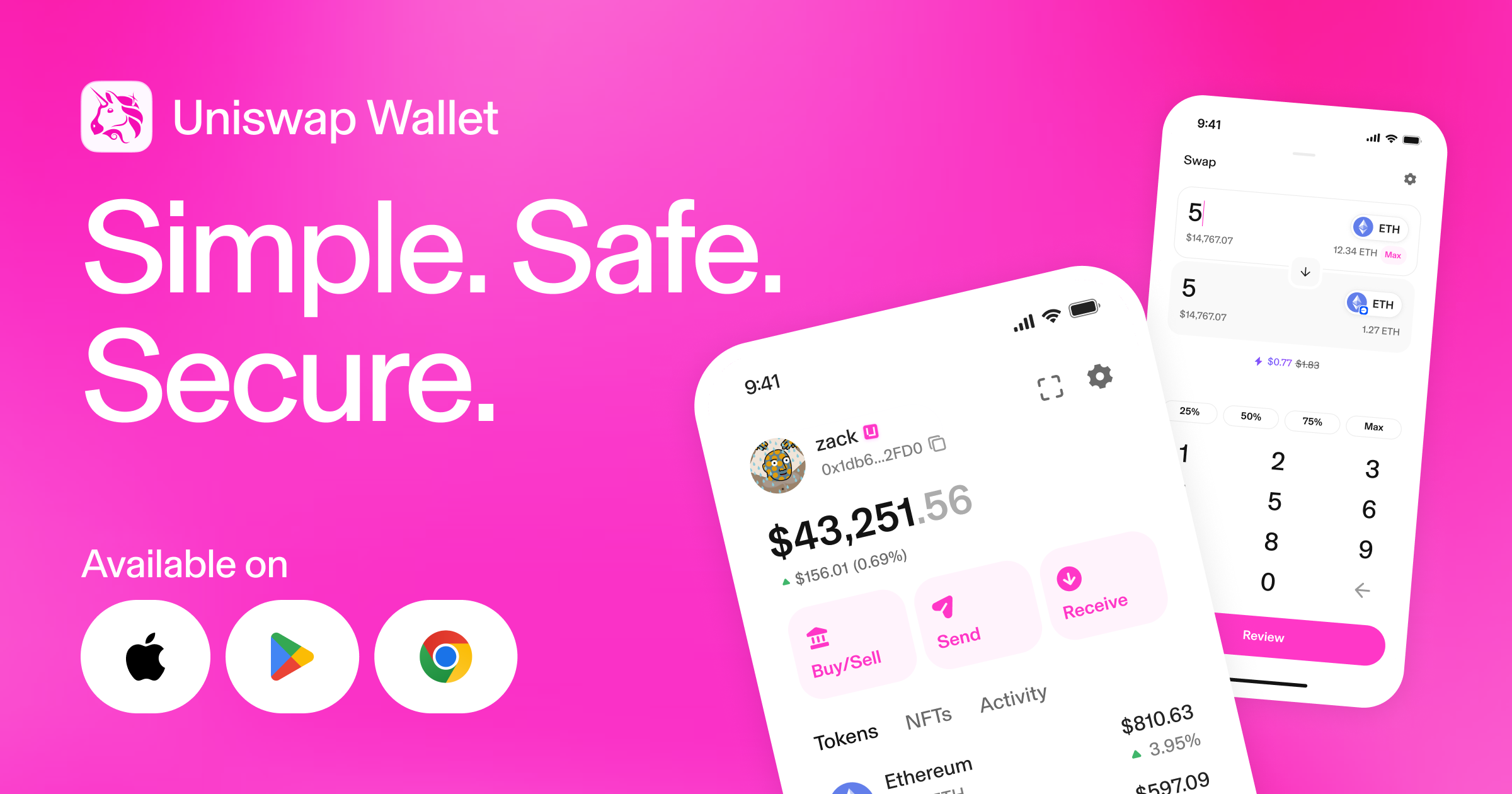
Uniswap wallet: store, send, and connect UNI tokens
Uniswap wallet Is a guide to storing, sending, and connecting UNI tokens
Uniswap wallet Is a self-custody crypto wallet used to hold tokens, send and receive assets, and connect to decentralized applications such as the Uniswap interface. For many users, the phrase also means any compatible wallet that can manage UNI, Ethereum assets, and onchain transactions. The important idea is control: the wallet manages keys and approvals, while the Uniswap protocol handles swaps through smart contracts.
Uniswap wallet matters because UNI and many assets traded through Uniswap live on public blockchains rather than inside a bank account. A Uniswap wallet gives a user an address, a place to review balances, and a signing tool for transactions. It does not remove risk, and it does not guarantee a trading outcome, but it creates the basic access layer needed to participate in DeFi.
What is Uniswap wallet?
Uniswap wallet is commonly used in two related ways. First, it can refer to the Uniswap Wallet product, a self-custody wallet available for mobile and browser use. Second, it can refer more broadly to a wallet used with Uniswap, including other Ethereum-compatible wallets that can connect to the Uniswap web app. In both meanings, a Uniswap wallet is not the exchange itself. It is the user-side tool that stores keys, displays assets, and signs transactions.
A Uniswap wallet does not physically store coins inside the app. Tokens remain recorded on their networks, such as Ethereum or supported layer 2 chains. The wallet stores or controls the private keys that can authorize movement from an address. That distinction is useful because losing access to the wallet backup can mean losing access to assets, while sharing a recovery phrase can let someone else move funds.
For UNI specifically, a Uniswap wallet can show the token balance, receive UNI from another address or an exchange, send UNI to another wallet, and connect to applications where UNI may be used or viewed. UNI is associated with governance around the Uniswap ecosystem, but holding it still requires ordinary wallet hygiene: address checks, fee awareness, and careful transaction review.
How does Uniswap wallet work with UNI and DeFi?
Uniswap wallet works by pairing a public address with private signing authority. The public address is what other people and services use to send tokens. The private key, seed phrase, passkey setup, or hardware-backed signer is what authorizes outgoing transfers and contract interactions. When a user connects a Uniswap wallet to a dapp, the site can usually request information and propose transactions, but the wallet is where the user approves or rejects the action.
The protocol side is separate. Uniswap is a decentralized exchange protocol built around smart contracts and liquidity pools. When a Uniswap wallet submits a swap, it sends a transaction or signed order through the selected interface and network. The wallet is responsible for showing the request, the estimated network fee, the token approval if needed, and the recipient address or contract involved.
In practice, a Uniswap wallet must also understand networks. A token on Ethereum mainnet is not automatically the same as a token on Arbitrum, Optimism, Base, Polygon, Unichain, or another supported chain. Some wallets show assets across networks in one view, while others ask the user to switch networks manually. Before sending UNI or any token, the sender should verify that the receiving wallet and selected network match.
What can you do with Uniswap wallet?
Uniswap wallet is useful for routine crypto tasks, not only for swaps. A user can receive tokens from a centralized exchange, move assets between self-custody addresses, review token prices, explore transaction history, and connect to DeFi apps. Many users also use a Uniswap wallet as the everyday layer between a trading interface and longer-term storage.
A Uniswap wallet can support several common workflows:
Receive UNI, ETH, stablecoins, or other supported tokens at a public address.
Send assets to another self-custody wallet, exchange deposit address, or payment address.
Connect to decentralized applications to swap, bridge, or manage onchain positions.
Review token approvals before granting smart contracts permission to use tokens.
Track balances and recent activity across supported networks.
Uniswap wallet also fits into a broader wallet setup. Someone learning the basics may start with an guide to understand gas, addresses, and ERC-20 tokens. Another user may compare this page with a general overview before deciding how much value to keep in a hot wallet versus cold storage.
How do you set up and fund Uniswap wallet?
Uniswap wallet setup usually begins with installing the wallet from an official source, creating or importing a wallet, and securing the recovery method. A new user should take this step slowly. The backup is not a normal password reset tool. If it is lost, the wallet provider may not be able to restore access. If it is exposed, another person may be able to control the funds.
After setup, a Uniswap wallet needs assets before it can do much. For Ethereum-based activity, that usually means holding ETH or the network’s native gas token to pay transaction fees. A user can fund the wallet by receiving crypto from another wallet, withdrawing from a centralized exchange, or using an in-wallet purchase option where available. Each method has its own fees, identity requirements, delays, and regional limitations.
A cautious first transfer is often small. Uniswap wallet addresses are long strings, and a transaction sent to the wrong address or wrong network may be irreversible. Many users copy the receive address from the wallet, verify the beginning and ending characters, confirm the chosen network, and send a small test amount before moving a larger balance.
How do you connect Uniswap wallet to the Uniswap app?
Uniswap wallet connects to the Uniswap app through a wallet connection prompt. On desktop, this may happen through a browser extension or a wallet connection modal. On mobile, it may happen through the wallet app’s built-in browser, a deep link, or a QR-style connection flow. The exact screens can change, so users should verify the current steps through official app and support pages before approving transactions.
The connection itself is not usually the same as spending tokens. Connecting a Uniswap wallet often lets the app see the public address and request signatures. A token approval, swap, bridge, or liquidity action is more serious because it can authorize contract interaction. The wallet should show what is being requested, and the user should reject anything that does not match the intended action.
For a new user, the safest workflow is simple: open the wallet, open the intended app, choose connect, select the correct wallet account, review the network, and approve only the connection request that matches the site being used. After that, each swap or transfer should still be reviewed as its own separate decision.
What fees and network choices affect Uniswap wallet?
Uniswap wallet activity can involve several cost categories. Network gas fees are paid to validators or sequencers on the chain being used. Swap pricing can include price impact, liquidity conditions, and routing differences. Some interfaces, bridges, or third-party services may also include service charges. These costs vary by network congestion, token pair, route, and transaction complexity.
A Uniswap wallet user should not assume that a low-value transaction is always cheap. On Ethereum mainnet, gas can sometimes exceed the value of a small transfer. On layer 2 networks, fees may be lower, but bridges and network-specific risks still matter. A wallet may estimate fees before signing, yet the final cost can change if the market or network conditions move quickly.
Network selection also affects token availability. UNI sent on one network needs to be received on the same network unless a bridge is involved. A Uniswap wallet may display multiple versions of an asset, and a token symbol alone is not enough proof that the asset is legitimate. Contract addresses, verified token lists, and official sources are better checks than names or icons.
Is Uniswap wallet safe for everyday crypto use?
Uniswap wallet can be safe enough for everyday use when the user follows self-custody practices, but it is not risk-free. The biggest risks are usually not the wallet interface alone. They include phishing sites, fake token contracts, malicious approvals, compromised devices, copied recovery phrases, and transactions signed too quickly. Crypto transactions are generally final, so prevention matters more than recovery.
A Uniswap wallet used as a hot wallet is convenient because it is ready for swaps and dapp connections. That same convenience can increase exposure if the browser, phone, or connected site is compromised. Users holding larger amounts may prefer to keep only active funds in a hot wallet and store longer-term holdings with a hardware wallet or another cold storage method.
Good safety habits are practical rather than complicated. Keep the recovery phrase offline, use official download sources, verify domains manually, review token approvals, keep software updated, and test unfamiliar workflows with small amounts. A Uniswap wallet can help display warnings or transaction details, but the user still has to decide whether a request is trustworthy.
How does Uniswap wallet compare with exchanges and hardware wallets?
Uniswap wallet differs from a centralized exchange account because it gives the user direct control over keys. An exchange may be simpler for buying, selling, tax exports, or customer support, but the exchange controls withdrawals and custody while assets remain there. A Uniswap wallet puts control closer to the user, which also means the user carries more operational responsibility.
Compared with a hardware wallet, a Uniswap wallet used on a phone or browser is usually more convenient but more exposed to online risk. A hardware wallet keeps signing isolated on a physical device and can be paired with compatible wallet interfaces. Some people use both: a Uniswap wallet for frequent activity and a hardware wallet for balances they do not need to move often.
Option
Best fit
Main tradeoff
Uniswap wallet
Daily DeFi access, swaps, sends, and app connections
Requires careful self-custody habits
Exchange account
Simple purchases, fiat ramps, and hosted account tools
User depends on the exchange for custody and withdrawals
Hardware wallet
Longer-term storage and higher-value balances
Less convenient for frequent transactions
The best choice depends on purpose, amount, and experience. A Uniswap wallet is useful for active onchain participation, but it should not be treated as a substitute for planning. Users should decide how much they can afford to expose to online activity and confirm technical details before moving funds.
What should you check before using Uniswap wallet long term?
Uniswap wallet use becomes easier after the first few transactions, but repetition can lead to careless approvals. Long-term users should periodically review connected sites, token permissions, backup storage, device security, and whether old addresses still need funds. They should also keep records of transfers and swaps for personal accounting and tax discussions with a qualified professional where needed.
A Uniswap wallet user should also monitor protocol and app changes through official channels. Supported networks, wallet features, fees, token warnings, bridge routes, and smart wallet capabilities can change over time. This page is informational and cannot verify the state of every integration at the moment a reader acts. Before installing software, importing a wallet, or sending value, users should confirm details from official sources.
Uniswap wallet is best understood as an access tool for self-custody and DeFi. It can make UNI storage, token transfers, swaps, and app connections practical, but it also asks the user to think like the final approver. When used carefully, a Uniswap wallet can be a flexible part of an onchain setup. When used casually, it can expose assets to preventable mistakes.
Reader rating:
4.7 / 5
based on 440 ratings
Questions and Answers
What is a Uniswap wallet used for?
A Uniswap wallet is used to manage crypto assets, including UNI and other supported tokens, from a self-custody address. It can receive funds, send tokens, connect to decentralized applications, and sign transactions for swaps or other onchain actions. The wallet is separate from the Uniswap protocol itself; it is the tool that lets the user control keys and approve activity.
Does Uniswap wallet store UNI tokens directly in the app?
A Uniswap wallet does not store UNI as files inside the app. UNI balances are recorded on the blockchain, while the wallet controls the keys or signing method for the address that owns those tokens. This is why recovery phrases, passkeys, or hardware signing methods are so important. Whoever controls the signing authority can usually move the assets.
How do I fund a Uniswap wallet?
You can fund a Uniswap wallet by receiving tokens from another wallet, withdrawing from a centralized exchange, or using an available purchase option inside the wallet or connected service. Always confirm the receiving address and network before sending. Many users start with a small test transfer because blockchain transactions are generally irreversible once confirmed.
Can I connect Uniswap wallet to decentralized apps?
Yes, a Uniswap wallet can connect to compatible decentralized applications, including swap interfaces and other Web3 services. Connecting usually shares your public address and lets the app request signatures or transactions. Review every request carefully, especially token approvals and contract interactions, because a connected app should not be trusted automatically simply because the wallet recognizes it.
Is Uniswap wallet safer than keeping UNI on an exchange?
A Uniswap wallet gives you self-custody, which means you control the keys rather than relying on an exchange to hold assets. That can reduce some custodial risks, but it introduces personal responsibility. If you lose your backup, sign a malicious approval, or use a fake site, recovery may be difficult or impossible. Safety depends on both the tool and user behavior.
Do I need ETH to use a Uniswap wallet?
You may need ETH or another network’s native gas token to pay transaction fees, depending on which chain you use. For Ethereum mainnet activity, ETH is typically required for gas. On layer 2 networks, the required gas asset and fee level can differ. Check the wallet’s fee preview and official network information before approving a transaction.
What should I verify before sending UNI to a Uniswap wallet?
Before sending UNI, verify the receiving address, selected network, token contract, and any exchange withdrawal requirements. UNI may appear on more than one network or through bridged versions, so the token symbol alone is not enough. For larger transfers, consider sending a small test amount first and confirm that it appears correctly before moving the full balance.
Manage your Uniswap with your Trezor hardware wallet, compatible with multiple wallet apps.
Trezor Suite
MetaMask
Rabby
Supported Uniswap Networks
Polygon POS
Ethereum
Harmony Shard 0
Arbitrum One
Avalanche
Optimism
Gnosis Chain
Energi
BNB Smart Chain
Huobi ECO Chain Mainnet
Unichain
Why a hardware wallet?
Go offline
with Trezor
You own 100% of your coins
Your wallet is 100% safe offline
Your data is 100% anonymous
Your coins aren’t tied to any company
Online exchanges
If an exchange fails, you lose your coins
Exchanges are targets for hackers
Your personal data may be exposed
You don’t truly own your coins
How to
UNI on Trezor
1
Connect your Trezor
Connect your Trezor hardware wallet to your computer or mobile device. If you don’t have one yet, you can buy it
here
.
2
Install Trezor Suite app
Download and install the Trezor Suite app for the best experience, or open the web app on your browser.
3
Transfer your UNI
Open Trezor Suite app, select your asset (activate first if needed), go to "Receive," show full address, verify it on your Trezor, paste the address into your exchange’s "Send to" field. Done!
4
Make the most of your UNI
Once the Uniswap transfer is complete, you can easily and securely manage your Uniswap with your Trezor hardware wallet right from the Trezor Suite app.
Trezor keeps your UNI secure
Protected by Secure Element
The best protection against both online and offline threats
Your tokens, your control
Absolute control over every transaction with on-device confirmation
Security begins with open-source
A transparent wallet design makes your Trezor better and safer
Clear & simple wallet backup
Recover access to your digital assets with a new backup standard
Confidence from day one
Packaging & device security seals protect your Trezor’s integrity
UNI is the governance token for Uniswap, an Automated Market Marker DEX on the Ethereum blockchain. The UNI token allows token holders to participate in the governance of the protocol. Key decisions such as usage of the treasury or future upgrades can be decided through a governance vote.
A Uniswap wallet is a tool that lets you securely store, send, and receive UNI, the native cryptocurrency of the Uniswap protocol. It’s crucial for managing your UNI assets, as it holds your private keys, which control access to your funds.
For top-notch security, using a Trezor hardware wallet is one of the best ways to store your UNI. Trezor wallets, like the
Trezor Safe 3
and
Trezor Safe 5
, keep your UNI offline, protecting it from online threats such as hacks and malware.
Uniswap (UNI) is supported in Trezor Suite as it's an
ERC-20 token
on the Ethereum network. This means you can securely manage your UNI directly through Trezor Suite without needing third-party wallets. Simply connect your Trezor hardware wallet, and you'll be able to send, receive, and manage your UNI safely. With Trezor’s robust security features, your private keys stay offline, protecting your assets from unauthorized access and online threats. Enjoy the peace of mind that comes with storing your Uniswap tokens securely in a Trezor wallet!
How do I create a Uniswap wallet?
Creating a Uniswap (UNI) wallet is simple, especially when using a
Trezor hardware wallet
. Start by purchasing your Trezor from the official
Trezor Shop
to ensure it's authentic. Once your Trezor arrives, download and install the
Trezor Suite
app, plug in your device, and follow the easy setup instructions. If it’s your first time, you'll set up a new wallet and create a wallet backup—make sure to securely store your wallet backup.
Uniswap is supported in Trezor Suite since it's an ERC-20 token on the Ethereum network. This means you can easily manage your UNI right through Trezor Suite—no need for any third-party wallets. Just connect your Trezor hardware wallet, and you’ll be all set to send, receive, and keep your UNI safe. With Trezor’s strong security, your private keys stay offline, so your assets are protected from any online threats or hacks. It’s an easy and secure way to store your Uniswap tokens!
Where to store Uniswap?
Storing your Uniswap tokens on a Trezor hardware wallet offers the highest level of security, ease of use, and peace of mind. Whether you're a seasoned crypto investor or just starting, Trezor provides the protection and flexibility you need to safeguard your UNI.
Can I use Uniswap with Trezor?
Yes, you can use Uniswap with a Trezor hardware wallet. As it’s an ERC-20 token, it’s directly supported within the Trezor Suite app.